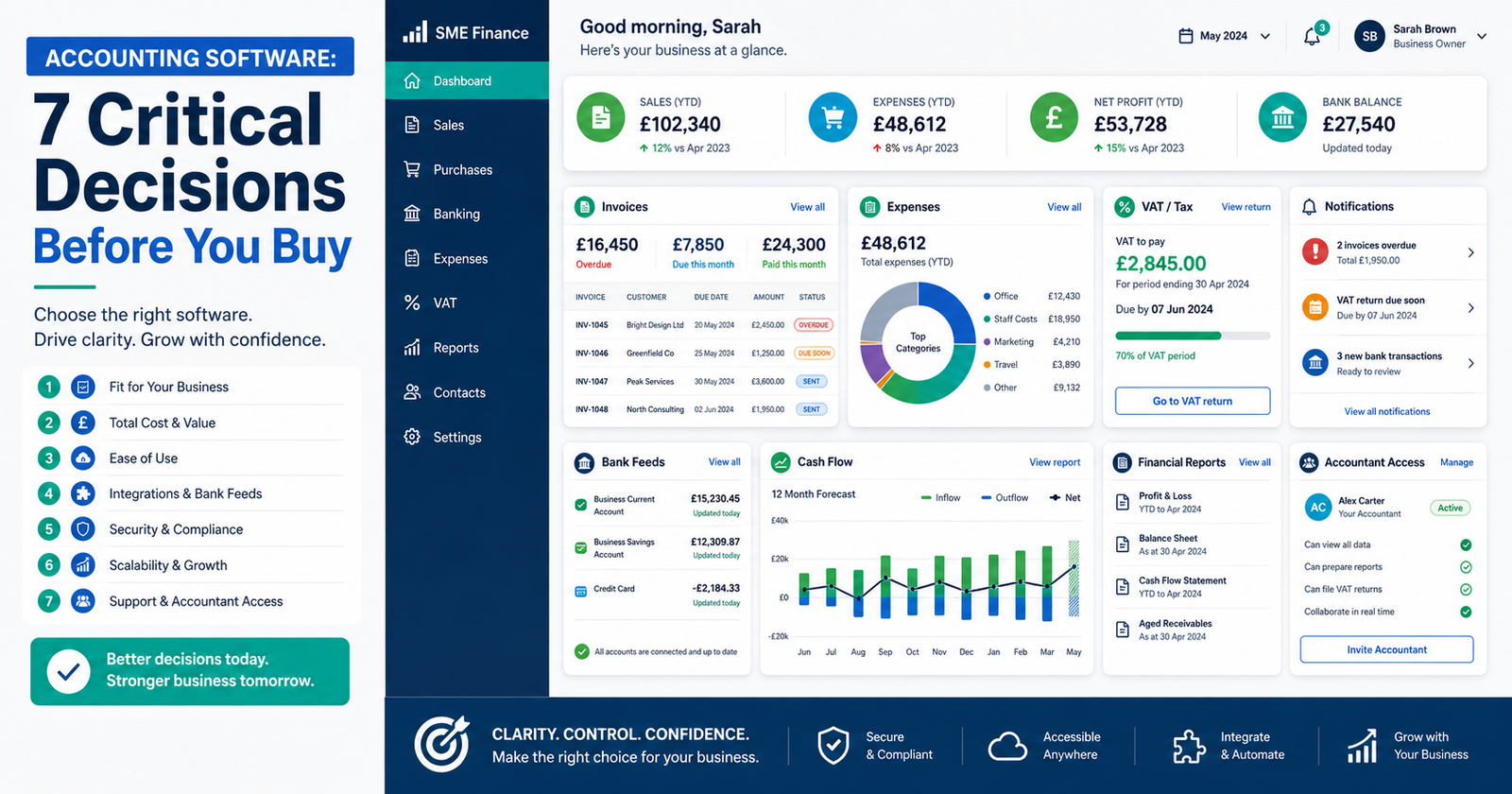
A practical small business guide to choosing software for bookkeeping, VAT, cash flow, reports, accountant support, and better financial decisions.
Accounting software should do more than record transactions. Used well, it helps small business owners manage invoices, expenses, VAT, bank feeds, cash flow, reports, and accountant access. This guide explains how to choose the right tool without being distracted by features, free trials, or affiliate-heavy “best software” lists.
Buying the wrong accounting software is not always dramatic.
It usually starts quietly.
A few missing receipts. A bank feed that does not match. VAT that feels more mysterious than it should. Reports that look impressive, but do not actually help you decide anything.
That is why choosing accounting software is not really a software decision.
It is a business decision.
This article explains:
- what accounting software is
- whether small businesses need accounting software
- when a spreadsheet is still enough
- what HMRC-compatible accounting software means
- how Making Tax Digital affects software choice
- QuickBooks vs Xero decision points
- the best accounting software by business situation
- what to ask your accountant before choosing
- red flags before switching software
- how to migrate safely
- how affiliate links should be handled
- how accounting software supports better business decisions
- The best accounting software is not the tool with the longest feature list. It is the tool that fits your business, tax needs, accountant, habits, reports, and growth plans.
- Accounting software should help you see cash flow, unpaid invoices, bills, VAT, expenses, profit, and warning signals earlier.
- A spreadsheet may still be enough for a very simple business, but it becomes risky when transactions, VAT, invoices, reports, or growth become harder to manage.
- Before choosing software, ask your accountant what they support and what reports they need.
- Do not choose software only because of a discount, advert, free trial, or “top 10” list. Choose it because it helps you make better financial decisions.
What is accounting software?
Accounting software records, organises, and reports your business finances, including invoices, expenses, bank transactions, VAT, bills, and financial reports.
In plain English, it helps you keep your business money in order.
It can help with:
- sending invoices
- recording expenses
- connecting bank feeds
- matching payments
- tracking unpaid invoices
- managing bills
- preparing VAT returns
- storing receipts
- creating financial reports
- sharing records with your accountant
- seeing cash-flow pressure earlier
A good accounting system should help you answer basic business questions:
Are we making money?
Who owes us money?
What bills are coming?
Can we afford this decision?
Is cash flow tightening?
Are we ready to grow?
Which services or customers are actually profitable?
That last one matters. Many businesses are busy, but not always profitable. Being busy without knowing the numbers is a bit like driving fast with the dashboard covered. Exciting, perhaps. Sensible? Not really.
Think of accounting software like the dashboard in a car.
It does not drive the business for you. It does not make wise decisions by magic. But it should show your speed, fuel level, warning lights, direction, and whether something needs attention.
In business terms, that means invoices, expenses, VAT, bank balances, unpaid bills, cash flow, profit, and financial reports.
Useful reference sources:
Oracle: What is accounting software?GOV.UK: Choose software for Making Tax Digital for Income Tax
GOV.UK: Find software for filing company accounts
What does accounting software do? Direct answer:
Accounting software helps a business record transactions, manage invoices and expenses, connect bank feeds, prepare tax records, create reports, and give owners clearer financial information for better decisions.
It is not just “digital bookkeeping”.
It should reduce admin and improve visibility.
That second part is important.
If software only creates a prettier mess, it has not solved much.
Idea Bridge: from software choice to business decision
Many small business owners start with the wrong question.
They ask:
Which accounting software is best?
A better question is:
What financial decisions do I need this software to help me make?
That changes the whole buying process!
Instead of comparing logos, discounts, and feature lists, you start with real business needs:
I need to send invoices faster.
I need to stop missing expenses.
I need clearer VAT records.
I need my accountant to see better data.
I need to know who owes me money.
I need to understand cash flow before it becomes a problem.
I need reports that help me decide, not reports that look clever and say nothing useful.
As the Finnish saying goes: “Hyvin suunniteltu on puoliksi tehty.” It means, “Well planned is half done.”
That applies perfectly here. The choice becomes much easier when you know the job the software must do.
Do small businesses need accounting software?
Many small businesses benefit from accounting software, but the right choice depends on complexity, VAT status, transaction volume, accountant support, reporting needs, and whether spreadsheets are still manageable.
You do not always need paid software on day one.
That may sound strange in an article about accounting software, but it is true.
A very simple business with a few transactions, no VAT, no employees, no stock, and a good accountant may manage for a while with a careful spreadsheet and tidy records.
But as soon as the business becomes more complex, software usually becomes more useful.
That point often arrives when:
- invoices increase
- expenses become harder to track
- VAT becomes relevant
- bank transactions multiply
- receipts go missing
- payroll appears
- stock needs tracking
- cash flow becomes unclear
- reports are needed
- the accountant asks for cleaner records
- growth decisions depend on better numbers
In my experience, the question is not “Should everyone buy software immediately?”
The better question is:
Is our current system still helping us make good decisions?
If the answer is no, the system needs improving.
Accounting software is not valuable because it is digital. It is valuable when it gives you cleaner records, clearer signals, and better decisions.
Is a spreadsheet still enough for my small business?
A spreadsheet may be enough for a very simple business, but accounting software becomes more useful when invoices, VAT, expenses, bank transactions, payroll, stock, or reports become difficult to manage manually.
Here is a simple way to think about it:
| Situation | Spreadsheet May Be Enough | Accounting Software Is Likely Better |
|---|---|---|
| Very few transactions | Yes | Not always needed yet |
| VAT registered | Risky | Usually better |
| Many invoices | Can become messy | Yes |
| Need cash-flow visibility | Limited | Yes |
| Accountant needs access | Awkward | Usually easier |
| Growing business | Short-term only | Better for control |
A spreadsheet can be useful.
But it depends on discipline.
If you are already behind with receipts, invoices, and bank records, a spreadsheet may not save you. It may simply give the chaos neat columns.
And chaos with neat columns is still chaos.
Accounting software is a decision tool, not just admin
Accounting software should help business owners make better decisions about cash flow, profit, tax, invoices, costs, customers, and growth.
The point is not to buy software because everyone else has it.
The point is to improve the quality of your financial signals.
Good accounting software should help answer:
- Are we profitable?
- Are costs rising?
- Who owes us money?
- Which invoices are overdue?
- What bills are coming soon?
- What VAT might we owe?
- Can we afford to hire?
- Can we afford new equipment?
- Which services make the best margin?
- Are we relying too much on one customer?
- Is cash flow tightening before it becomes urgent?
That is real business value.
I write about how better decisions are made in business — combining strategy, behaviour, and practical thinking. From that point of view, accounting software is not just an admin tool. It is a decision-support tool.
Used badly, it becomes another place to store confusion.
Used well, it helps you see what is really happening.
The KrisLai Decision Framework™ and accounting software
A practical model for better business decisions in complex environments. It focuses on four essential elements:
- Human Behaviour — how people actually think and decide
- Signals — what people are trying to do right now
- Environment — whether the system supports good decisions
- Consequences — what happens next, and after that
Strong decisions consider all four — not just one.
Accounting software fits the KrisLai Decision Framework very well.
Human Behaviour:
Will the owner, bookkeeper, team, and accountant actually use it properly?
Signals:
What financial signals must it show? Cash flow, unpaid invoices, VAT, profit, expenses, stock, bills, margins?
Environment:
Does it fit tax rules, Making Tax Digital, accountant access, banking, integrations, business type, and growth plans?
Consequences:
What happens if the software is too simple, too expensive, too complicated, unsupported, or poorly migrated?
This approach is part of the KrisLai Decision Framework, a practical method for improving business decisions.
Better decisions come from understanding behaviour, signals, environment, and consequences.
The easiest way to think about accounting software is as a decision loop: start with the business need, check the constraints, test the fit, and then make the choice.
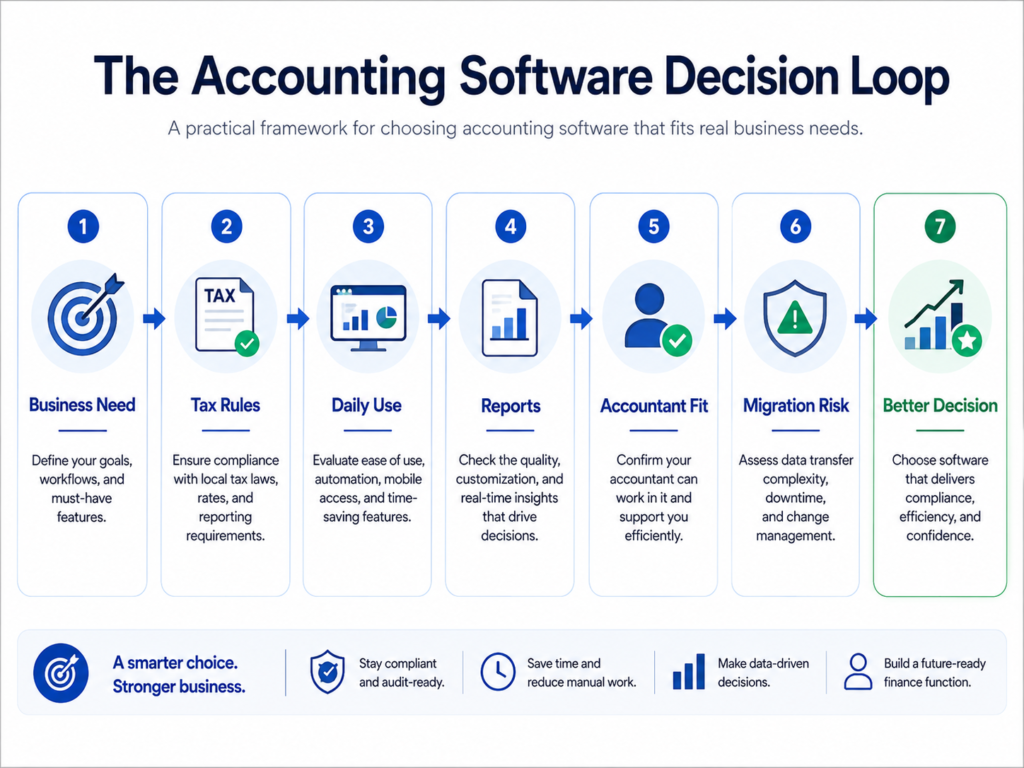
In my experience, software decisions improve when they follow a clear path like this rather than being driven by feature lists, discounts, or whatever tool happens to be trending this month.
7 critical decisions before you buy accounting software
Before buying accounting software, decide what problem you need to solve, what tax rules apply, who will use it, what reports matter, what your accountant supports, and how difficult migration and future growth may become.
Let’s go through the seven decisions…
1. What financial problem are we trying to solve?
Start with the business problem, not the product name.
This is the most important step.
Do not begin with:
“Should I choose Xero or QuickBooks?”
Begin with:
“What problem are we trying to fix?”
For example:
- invoices are sent late
- customers pay late
- expenses are missed
- VAT is stressful
- receipts are scattered
- bank records are messy
- cash flow is unclear
- the accountant keeps chasing information
- financial reports arrive too late
- stock is hard to track
- payroll is becoming more complex
- the owner does not know whether the business can afford growth
Once the problem is clear, the software choice becomes easier.
A business with late invoices needs strong invoicing and debtor tracking.
A VAT-registered business needs reliable VAT handling.
A service business may need project profitability.
A stock-based business may need inventory tools.
A non-accountant may need simple daily use and good support.
The tool must fit the problem.
Not the other way around.
Do not ask “Which software is best?” until you have asked “What financial problem must this software solve?”
2. Are we a sole trader, limited company, VAT-registered business, or growing team?
Your business structure affects what accounting software features you need.
A sole trader may need:
- simple income and expense tracking
- invoices
- receipts
- tax records
- Making Tax Digital support if relevant
- basic reports
A limited company may need:
- company accounts support
- director loan tracking
- dividends support
- corporation tax workflow
- accountant access
- better reporting
A VAT-registered business may need:
- digital VAT records
- MTD VAT submission
- VAT reports
- correct VAT treatment
- audit trail
A growing team may need:
- user permissions
- payroll
- expense claims
- approvals
- integrations
- stronger controls
A stock-based business may need:
- inventory
- purchase orders
- supplier records
- stock reports
- cost tracking
This is why copying another business is risky.
Their needs may not be your needs.
A café, consultant, cleaning company, ecommerce seller, landlord, contractor, and limited company with payroll may all need different things.
The best software is the one that fits your situation.
3. Do we need HMRC-compatible accounting software?
You may need compatible software for VAT or Making Tax Digital, so check your tax position before choosing.
This matters for UK small businesses.
GOV.UK says some sole traders and landlords must use compatible software for Making Tax Digital for Income Tax from 6 April 2026. That software may need to create digital records, send quarterly updates, and submit tax returns. (gov.uk)
VAT-registered businesses also need to think carefully about Making Tax Digital for VAT.
The key point is this:
Do not buy software first and ask tax questions later!
Check:
- Are you VAT registered?
- Do you need MTD VAT support?
- Are you affected by Making Tax Digital for Income Tax?
- Are you a sole trader, landlord, or limited company?
- Does the software support the tax tasks you need?
- Does your accountant support it?
- Can it keep digital records properly?
- Can it connect to HMRC where needed?
GOV.UK also says Companies House does not endorse or recommend particular software products for filing company accounts. So be careful with phrases like “HMRC approved” or “officially recommended” unless you are linking to official compatible software guidance. (gov.uk)
In practice, you should look for software that is compatible with the specific HMRC or Companies House task you need. Do not assume one product is best just because a sales page sounds official.
Always check GOV.UK guidance and ask your accountant if you are unsure.
4. Who will use the software day to day?
The best accounting software is the one your business will actually use correctly.
This is a behavioural point.
It is easy to choose a powerful system.
It is harder to make sure people use it properly every week.
Ask:
- Will I use it myself?
- Will an admin person use it?
- Will my bookkeeper use it?
- Will my accountant use it?
- Will staff upload expenses?
- Will managers need reports?
- Do we need mobile access?
- Do we need different user permissions?
- Are the daily tasks simple enough?
What I’ve seen is that software fails when leaders buy for features, but users need simplicity.
A beautiful dashboard is not much use if nobody enters the data correctly.
That is like buying a gym membership and calling it fitness.
Nice idea! Not quite the same thing…
5. What reports do we need for better decisions?
Choose software that gives you the reports you need to manage cash flow, profit, tax, debtors, creditors, and growth.
Reports should not exist just to impress accountants.
They should help the business owner make better decisions.
Useful reports may include:
- profit and loss
- balance sheet
- cash-flow view
- aged debtors
- aged creditors
- unpaid invoices
- unpaid bills
- VAT report
- expense categories
- project profitability
- stock reports
- customer profitability
- bank reconciliation report
- budget vs actual
A small service business may need debtor reports more than inventory.
A stock business may need stock and purchase reports.
A consultant may need project profitability.
A VAT-registered business needs clean VAT reports.
A growing company may need department or team reporting.
The key question is:
What financial decisions do we need reports to support?
Useful related reading:
Cash Flow Forecasting as an Early-Warning Decision Tool
6. What does our accountant support?
Ask your accountant before choosing because unsupported software can create extra work, delays, and cost.
This is one of the most practical steps.
Before buying software, ask your accountant:
- Which accounting software do you support?
- Which tools do you prefer for my type of business?
- Can you access the software easily?
- Does it handle VAT properly for my situation?
- Does it support the reports you need?
- Will it reduce your work or create more work?
- What migration problems should I watch for?
- What setup mistakes do you see most often?
- Will this tool still work if the business grows?
- What will it cost to support me on this system?
A tool your accountant dislikes may still be good.
But it may not be good for you.
Especially if you depend on your accountant to fix the mess later.
And mess-fixing is rarely free.
7. How painful will migration and future growth be?
Before switching accounting software, check how easy it is to move data, connect bank feeds, import contacts, set opening balances, and scale later.
Migration is where many software decisions get painful.
People think they are buying a tool.
Actually, they are moving a financial system.
Before switching, check:
- when your financial year ends
- whether you are in the middle of a VAT period
- whether bank accounts are reconciled
- what data needs moving
- whether opening balances are correct
- whether customers and suppliers can be imported
- whether old invoices need to remain visible
- whether payroll is affected
- whether bank feeds can be connected
- whether reports will match the old system
- whether your accountant can help
- whether you need staff training
Also think about growth.
Will the software still work if:
- you add employees?
- you become VAT registered?
- you add stock?
- you need payroll?
- you trade internationally?
- you add more bank accounts?
- you need more detailed reporting?
- you want integrations later?
Cheap software is only cheap if it still works when the business changes.
QuickBooks vs Xero: which is better for a small business?
QuickBooks and Xero can both work well for small businesses, but the better choice depends on your accountant, VAT needs, reports, integrations, budget, and who will use the software day to day.
This article is not a full QuickBooks vs Xero review.
That would need current pricing, screenshots, hands-on testing, plan-by-plan comparisons, user support checks, and update dates.
Instead, here is the practical decision view:
| Need | QuickBooks May Suit | Xero May Suit |
|---|---|---|
| Accountant preference | If your accountant supports it well | If your accountant supports it well |
| Bank feeds | Available on suitable plans | Available on suitable plans |
| VAT and MTD | Check current UK plan features | Check current UK plan features |
| Non-accountant use | Test daily tasks first | Test daily tasks first |
| Integrations | Strong ecosystem | Strong ecosystem |
| Inventory or stock | Compare plan limits carefully | Compare plan limits carefully |
The honest answer is this:
The better tool is the one that fits your business and your accountant’s workflow.
Not the one with the loudest advert.
Not the one your mate uses.
Not the one with the discount that expires in 11 minutes, apparently because accounting software has become a Black Friday emergency.
Some links in this article may be affiliate links. This means I may earn a commission if you choose to buy through them, at no extra cost to you. I only include tools where they are relevant to the decision being discussed.

Manage your
money like a boss with Wave.
Best accounting software by business situation
There is no single best accounting software for every small business; the best choice depends on your business type, tax needs, budget, daily workflow, accountant support, and future growth.
Here is a practical way to think about it:
| Business Situation | What to Prioritise |
|---|---|
| Sole trader | Simple income, expenses, invoices, receipts, and MTD Income Tax support if needed |
| Limited company | Accountant access, proper reporting, director transactions, and company accounts support |
| VAT-registered business | MTD VAT support, VAT reports, digital records, and correct VAT treatment |
| Service business | Invoicing, debtor tracking, project profitability, expenses, and cash-flow visibility |
| Stock or inventory business | Inventory, purchase orders, stock reports, supplier tracking, and margins |
| Non-accountant owner | Ease of use, simple reports, strong support, and accountant access |
| Growing team | Users, permissions, approvals, integrations, payroll, and scalability |
| Cash-flow pressure | Unpaid invoices, bills, bank feeds, cash-flow reports, and payment reminders |
This is a better way to choose than asking “What are the top 5 accounting software tools?”
Top 5 according to whom?!
For which business?
At what stage?
With which accountant?
With which tax needs?
Context matters.
What is HMRC-approved accounting software?
Strictly speaking, HMRC recognises or lists compatible software for specific tax tasks; it does not recommend one single best accounting software product for every business.
This matters because many people search for “HMRC approved accounting software”.
That phrase is common, but it can be imprecise.
What you really need to check is:
- Does the software support the tax task you need?
- Is it compatible with Making Tax Digital for VAT if needed?
- Is it compatible with Making Tax Digital for Income Tax if needed?
- Can it keep digital records properly?
- Can it submit the required updates or returns?
- Does it work with your business type?
- Does your accountant support it?
GOV.UK provides guidance for choosing software for Making Tax Digital and for filing company accounts. Companies House also says it does not endorse or recommend particular products.
So the safer phrasing is:
HMRC-compatible software for the task you need.
Not:
“The official best software.”
Is free accounting software good enough?
Free accounting software may be enough for very simple businesses, but check limits on transactions, VAT, users, bank feeds, reports, support, integrations, and future growth before relying on it.
Free can be useful.
Free can also become expensive if it wastes time, causes mistakes, limits reports, or does not handle your tax needs.
Before using free accounting software, ask:
- Does it handle my business type?
- Does it support VAT if needed?
- Does it support MTD if needed?
- Are bank feeds included?
- Are invoices limited?
- Are users limited?
- Can my accountant access it?
- What reports are included?
- Can I export my data?
- What happens if I outgrow it?
- What does paid support cost?
Free software is not bad.
But “free” is not the same as “right”.
A free tool that does not support your real business needs is not a saving.
It is a future headache in a nice wrapper.
What should I ask my accountant before choosing accounting software?
Ask your accountant which tools they support, what reports they need, whether it handles VAT or tax submissions, how migration works, and whether the software fits your business type.
Here is a practical checklist:
- Which accounting software do you support?
- Which tool fits my business type best?
- Can you access the software easily?
- Does it handle VAT properly for my situation?
- Does it support Making Tax Digital if needed?
- What reports do you need from me?
- Will this software reduce or increase your work?
- What setup mistakes should I avoid?
- What will migration involve?
- Will it still work if the business grows?
This is not about letting your accountant control every business choice.
It is about avoiding unnecessary friction.
If your accountant has to untangle poor setup later, that can cost time and money.
Red flags before switching accounting software
Red flags before switching include poor migration planning, no accountant input, missing opening balances, weak bank feed setup, unclear VAT treatment, lost historical data, and choosing based only on price.
Here are the mistakes I would watch for.
Switching mid-VAT period without advice
This can create unnecessary confusion.
Ask your accountant about timing.
Not backing up or exporting old data
Always know what records you are keeping and where they are stored.
Ignoring opening balances
Opening balances must be correct, or future reports may be wrong.
Assuming reports will match immediately
Reports may look different between systems.
That does not always mean one is wrong, but it must be checked.
Forgetting recurring invoices or direct debits
Small setup errors can create annoying problems later.
Choosing software only because it is cheap
Low cost matters.
But not if the software does not do the job.
Not training the person who will actually use it
Buying software is not the same as using it correctly.
Again, gym membership… Fitness… You know the rest…
Accounting software can improve visibility, but it will not magically fix late invoicing, missing receipts, poor record-keeping, or unclear financial decisions.
The system helps. The habits still matter.
Migration checklist: how do I switch accounting software safely?
To switch accounting software safely, plan the timing, speak to your accountant, export old data, reconcile bank accounts, set opening balances, import contacts, connect bank feeds, test reports, and review the first month carefully.
Use this checklist:
- Choose the best timing, ideally not during a messy tax or VAT period.
- Speak to your accountant before switching.
- Export or back up old records.
- Reconcile bank accounts in the old system first.
- Check VAT position and filing periods.
- Set correct opening balances.
- Import customers and suppliers carefully.
- Connect bank feeds and test them.
- Check invoice templates and payment details.
- Review recurring invoices and bills.
- Run key reports and compare them.
- Review everything after the first month.
Migration is not glamorous.
But it matters.
Poor migration creates doubt in the numbers.
And if you cannot trust the numbers, you cannot use them confidently.
What this looks like in real business
A small service business has been using spreadsheets for years.
At first, it worked.
There were only a few customers.
Invoices were simple.
Expenses were easy to track.
The owner knew most of the numbers in their head.
Then the business grew.
More customers.
More invoices.
More expenses.
More subscriptions.
More bank transactions.
More questions from the accountant.
VAT became relevant.
Cash flow became harder to see.
The spreadsheet was still there, bravely pretending everything was fine.
Insight:
The problem was not simply “we need accounting software”.
The real problem was that the owner no longer had clear financial signals.
Real example:
Invoices were sent late. Some expenses were missed. VAT felt stressful. Reports were delayed. Cash-flow decisions were based on bank balance rather than real visibility.
Decision:
Instead of choosing the cheapest or most famous accounting software, the owner listed the real needs:
- faster invoicing
- bank feeds
- VAT support
- accountant access
- unpaid invoice reports
- expense tracking
- simple cash-flow visibility
- reports that could support decisions
The owner then asked the accountant which tools they supported, tested two options with real tasks, and chose the one that fitted daily use best.
Consequence:
Invoices went out faster.
Expenses were tracked better.
VAT was less stressful.
The accountant had cleaner records.
The owner could see cash-flow pressure earlier.
That is the real win.
Not “we bought software”.
But “we can now see the business more clearly.”
The right accounting software should make the business easier to understand, not just easier to file.
Where this goes wrong
Accounting software decisions go wrong when business owners choose based on price, popularity, adverts, discounts, another business’s recommendation, or features they do not actually need.
Common mistakes include:
- buying because of a discount
- choosing what a friend uses
- ignoring the accountant
- paying for features not needed
- choosing free software that cannot handle growth
- switching too fast
- not training users
- ignoring data quality
- assuming software will fix poor habits
- failing to check VAT or MTD needs
- not testing real daily tasks first
- not checking how easy it is to leave later
The biggest mistake is choosing a tool before defining the decision it must support.
Over time, I’ve found that good decisions rarely come from data alone. They come from understanding people, reading signals, creating the right environment, and thinking beyond the immediate outcome.
That is exactly why software choice matters.
The numbers matter.
But the habits, people, systems, and consequences matter too.
Can AI help with accounting software?
AI can help with receipt capture, invoice coding, bank transaction suggestions, anomaly spotting, report summaries, and cash-flow signals, but it cannot replace good records, accountant advice, or responsible business judgement.
AI features are becoming more common in financial tools.
They may help with:
- reading receipts
- suggesting transaction categories
- spotting unusual spending
- summarising reports
- drafting invoice reminders
- forecasting cash pressure
- organising documents
- answering simple finance questions
- speeding up admin
That can be useful.
But AI is not a magic accountant.
It can be wrong.
It can misunderstand context.
It can make confident suggestions that still need checking.
It can help you see patterns, but it should not replace proper review.
This also connects to the future of search.
Business owners increasingly ask AI tools which accounting software to choose before speaking to an accountant or visiting official websites.
That means your content must be clear, practical, and trustworthy enough for both humans and AI tools to understand.
The best AI-era content answers real questions directly.
It does not just say “buy this tool”.
It explains how to choose well.
Useful related reading:
How AI Is Changing Search BehaviourHow I evaluated accounting software options
This article does not rank accounting software only by popularity, commission, or brand awareness.
The decision criteria I would use are:
- fit for the business situation
- VAT and Making Tax Digital needs
- ease of daily use
- accountant support
- reporting quality
- bank feeds
- invoicing
- expenses
- cash-flow visibility
- integrations
- migration difficulty
- support
- scalability
- official pricing pages
- ability to export data
- suitability for non-accountants
For software content, that matters.
Prices change.
Features change.
Plans change.
Integrations change.
Support quality changes.
And sometimes, software companies rename everything just when you thought you understood it. Because apparently clarity was too easy…
What are the 5 accounting software tools people often compare?
Small business owners often compare tools such as Xero, QuickBooks, Sage, FreeAgent, FreshBooks, Zoho Books, and Wave, but the best choice depends on business type, tax needs, accountant support, and daily use.
What is the most commonly used accounting software?
Commonly used accounting software varies by country, business size, and accountant preference. In the UK, names such as Xero, QuickBooks, Sage, and FreeAgent often appear in small business comparisons.
Which accounting software is best for beginners?
The best accounting software for beginners is usually the one that makes daily tasks simple: invoicing, expenses, bank feeds, receipts, VAT if needed, reports, and accountant access.
Can I use Excel instead of accounting software?
Yes, Excel or another spreadsheet may be enough for a very simple business, but it can become risky when transactions, VAT, invoices, expenses, reports, or tax requirements become more complex.
Is cloud accounting safe?
Cloud accounting can be safe when the provider uses strong security and you use good habits such as strong passwords, two-factor authentication, controlled user access, and regular account reviews.
Is accounting software worth it?
Accounting software is worth it when it saves time, reduces errors, improves records, supports tax compliance, gives better reports, and helps the business owner make clearer financial decisions.
What you should actually do
Start with this one thing:
Write down the financial decision you need the software to help you make.
That is the best starting point.
Not the product name.
Not the discount.
Not the feature list.
The decision.
Then follow this simple process:
- Define the business problem.
- Check whether spreadsheets are still enough.
- Check VAT, Making Tax Digital, and tax needs.
- Ask your accountant what they support.
- List must-have features.
- Compare only two or three tools.
- Test each tool with real daily tasks.
- Check migration steps.
- Check official pricing and support.
- Choose based on fit, not noise.
This connects closely to how I think about decisions more broadly in the KrisLai Decision Framework™.
A software decision is still a business decision.
And business decisions improve when you understand behaviour, signals, environment, and consequences.
Before choosing accounting software, write one sentence that starts with: “We need this software to help us…”
For example: “We need this software to help us invoice faster, track VAT properly, and see cash-flow pressure earlier.”
That one sentence can stop you buying the wrong tool for the wrong reason.
If you want a simple way to remember the whole decision, use these seven questions before choosing accounting software:
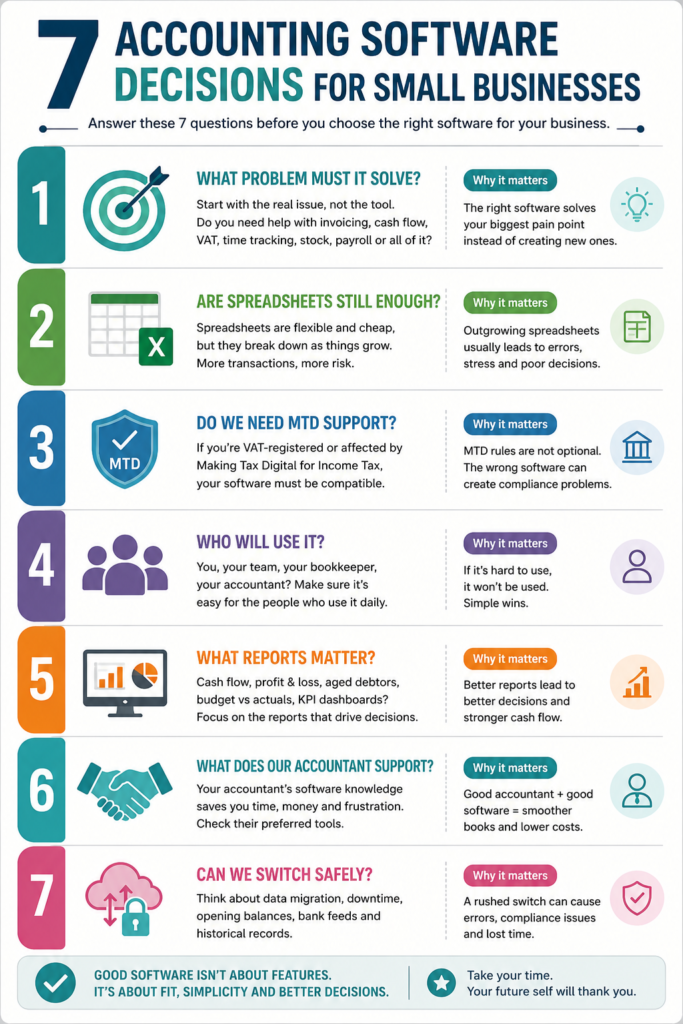
In my experience, the best software choices are rarely made by comparing every feature. They are made by asking better questions before money, time, and data are committed.
FAQ
What is accounting software?
Accounting software is a tool that records, organises, and reports a business’s financial activity, including invoices, expenses, bank transactions, VAT, bills, and financial reports. It helps business owners and accountants keep cleaner records and make better financial decisions.
What is the best accounting software for small business?
The best accounting software for a small business depends on the business type, tax needs, accountant support, daily workflow, budget, reporting needs, and future growth. There is no single best tool for every business, so choose based on fit rather than popularity.
Do small businesses need accounting software?
Many small businesses benefit from accounting software, especially when invoices, expenses, VAT, bank transactions, payroll, reports, or cash flow become difficult to manage manually. Very simple businesses may use spreadsheets for a while, but software becomes more useful as complexity grows.
Is accounting software required for Making Tax Digital?
You may need compatible software if your business is affected by Making Tax Digital rules. GOV.UK says some sole traders and landlords must use compatible software for Making Tax Digital for Income Tax from 6 April 2026, and VAT-registered businesses should also check their MTD software needs.
What is HMRC-approved accounting software?
People often say “HMRC-approved accounting software”, but it is safer to look for software that is compatible with the specific HMRC task you need, such as Making Tax Digital for VAT or Income Tax. GOV.UK provides guidance and software listings, but it does not recommend one best product for every business.
Is QuickBooks better than Xero?
QuickBooks may be better for some small businesses, but not for all. The better choice depends on your accountant’s preference, VAT needs, reporting needs, integrations, budget, ease of use, and who will use the software day to day.
Is Xero better than QuickBooks?
Xero may be better for some businesses, but not for every situation. The right choice depends on your business type, accountant support, required reports, integrations, VAT needs, pricing, and how easy your team finds it to use.
Can I use spreadsheets instead of accounting software?
You can use spreadsheets if your business is very simple and you keep accurate records. However, accounting software is usually better when you have more transactions, VAT, many invoices, bank feeds, stock, payroll, accountant access, or a need for clearer reports.
What should I ask my accountant before choosing software?
Ask your accountant which accounting software they support, whether it suits your business type, whether it handles VAT or Making Tax Digital if needed, what reports they need, how migration works, and whether the tool will reduce or increase their work.
What features should small business accounting software have?
Small business accounting software should usually include invoicing, expenses, bank feeds, bank reconciliation, receipt capture, VAT support if needed, useful reports, accountant access, customer and supplier records, and secure data storage.
Is free accounting software good enough?
Free accounting software may be enough for a very simple business, but check limits on users, transactions, VAT, reports, bank feeds, support, integrations, and future growth. Free is only useful if it still supports the decisions and records your business needs.
How do I switch accounting software safely?
To switch accounting software safely, speak to your accountant, choose the right timing, export old data, reconcile bank accounts, check VAT periods, set opening balances, import customers and suppliers, connect bank feeds, test reports, and review the first month carefully.
Research and experience note
This article is based on practical experience, independent research, and analysis of how small businesses choose accounting software in real life.
Useful reference sources include:
GOV.UK: Choose the right software for Making Tax Digital for Income TaxGOV.UK: Find software for filing company accounts
Oracle: What is accounting software?
The aim is not to make software choice more complicated!
The aim is to make it more useful.
The right accounting software should help you keep better records, see better signals, and make better financial decisions.
Accounting software decisions connect to behaviour, financial signals, customer payment habits, cash flow, and second-order consequences.
These articles may help you go deeper:
Useful related reading:
Conclusion and final thoughts
If you remember nothing else, remember this:
Start with the decision, not the software.
Before buying accounting software, write down the financial decision it must help you make.
Then check tax needs, accountant support, daily use, reports, migration, and future growth.
That one step can stop you choosing the wrong tool for the wrong reason.
I help people make better business decisions through psychology, strategy, and practical thinking. In this case, better thinking means treating accounting software as a way to see the business more clearly, not just as another monthly subscription.
Free Guide: Better Business Decisions Under Pressure
Financial pressure rarely begins with one dramatic event. It usually starts with small signals that are easy to miss.
Enter your email below and I’ll send you the free KrisLai Decision Framework™ guide, a practical model for understanding behaviour, signals, environment, and consequences before problems become more expensive.
It is designed to help leaders think more clearly and act earlier when timing, pressure, and uncertainty begin to build.
If you enjoy exploring the ideas behind better business decisions, you may find the Business Thinking Hub useful.
About the author
Kris Lai is a business operator and managing director with experience in land and building surveying, facilities management, logistics, and service delivery.
Earlier in his career, he worked as a Search Engine Evaluator (via Lionbridge, supporting Google), where he assessed search result relevance, user intent, and content quality using structured evaluation frameworks. This experience gives him a rare, practical understanding of how search systems interpret signals and make ranking decisions.
In parallel, whilst working with a charity organisation, he has delivered 1000’s of structured presentations in English, Finnish, and Chinese to audiences ranging from small groups to more than 600 people, and has spent decades mentoring and developing others. This experience informs his approach to clarity, communication, and decision-making under pressure.
He writes about AI, search behaviour, business strategy, and decision-making from a practical, real-world perspective.
👉 Explore ideas connected to better business decisions:
- Digital Transformation for SMEs: 7 Questions Before You Invest
- Cybersecurity for Businesses: 7 Decisions Leaders Must Make

- How AI Is Changing Search Behaviour (And What Businesses Must Do Now)
- Decision-Making Framework Examples: The KrisLai Method in Action
- The KrisLai Decision Framework: A Better Way to Make Business Decisions




Similar Posts
Innovation and Entrepreneurship: Fostering a Culture of Innovation in Your Organization
Learn how we can foster innovation in your organisation with practical strategies for leadership, collaboration, and customer insights. Elevate your business with a culture of innovation and entrepreneurial thinking.
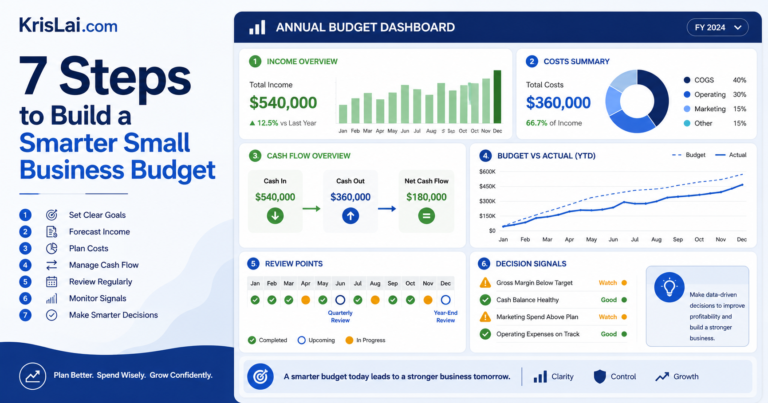
7 Steps to Build a Smarter Small Business Budget
Small business budgeting is not just about tracking costs. Used well, an annual budget becomes an early-warning decision tool. This article explains how to build a smarter small business budget, review it monthly, understand budget variance, protect cash flow, and make better decisions before financial pressure builds.
Budgeting Tips for Small Business Owners
Discover essential budgeting tips for small business owners to manage cash flow, cut unnecessary costs, and achieve financial stability. Learn how effective budgeting can help your business thrive.
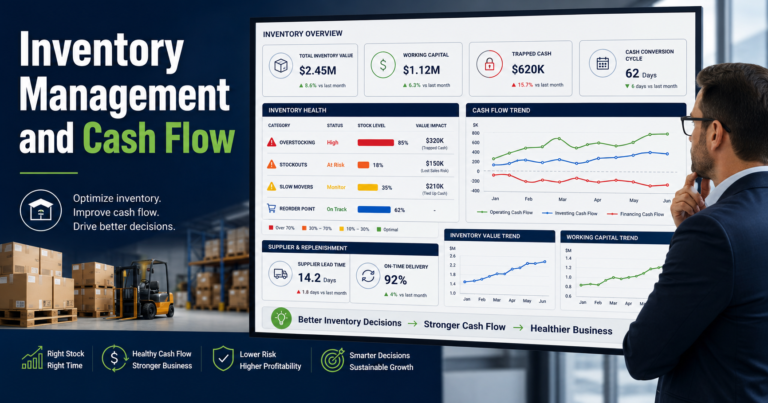
Inventory Management and Cash Flow: 7 Cash-Saving Decisions
Inventory is not just stock. It is cash waiting to become useful again. This guide explains how inventory management affects cash flow, working capital, profit, stockouts, overstocking, slow-moving stock, and the decisions leaders should review before buying more inventory.
How to Blog with AI: Tools, Techniques, and Creative Storytelling
Discover how to blog with AI and elevate your content. Explore AI blogging tools, storytelling techniques, and ways to tailor AI to health, travel, and historical blogs.
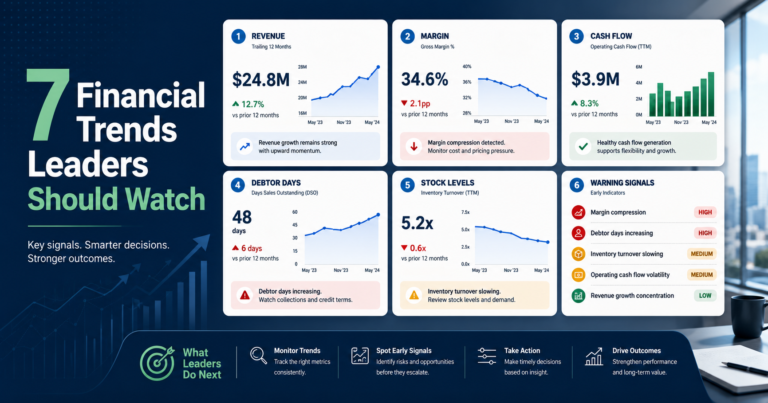
7 Financial Trends Leaders Should Watch Before Problems Grow
Financial trend analysis helps leaders spot early warning signals before problems grow. This article explains how to read revenue, margin, cash flow, debtor days, stock levels, costs, and profit quality together, so you can make better business decisions under uncertainty.